Key Points
- Move beyond just exploratory usage of AIs: look for opportunities to scale
- Look for opportunities to turn an exploratory, probabilistic problem into a deterministic one
- To really streamline, move away from chatbots as the UI
- Streamlining spans multiple levels: generic chatbot → chatbot with MCP → custom chatbot → custom interface with LLMs in the backend → custom interface with no LLMs—shifting from chat to button-press at level 4.
Let's break AI use into two modes:
Exploring. When we don't fully understand the problem and are exploring something we haven't done before.
Scaling. When we now understand the problem well enough to scale in some way, perhaps dramatically restricting how much LLMs play a role.
Chatbots are excellent at helping us explore. Sometimes we make the move from exploring to scaling, and sometimes simple exploration is enough.
| Exploring | Scaling | |
|---|---|---|
| Primary Interaction Mode | Chat | Probably not chat |
| LLM Models | Frontier | Small |
| Expertise Required | High | Low |
| How Deterministic | Low | High |
| Speed | Slow | Fast |
| How much are LLMs used | Pervasively | None or very focused |
| Scale | One-offs | Repeatable |
| Style | Verbose | Focused |
| Range of the the interaction | Open-ended | Constrained |
Why we might want to scale
Sometimes exploration is enough, but sometimes we need to scale:
More data. Let's say we burn through a ton of LLM credits to do some ad hoc analysis on a sample of a section of our website. What happens when you want to extend the analysis to the entire website (or your entire digital presence)? You need to scale.
More repeatability. Sometimes we want to do some sort of work in a manner that can be compared. For instance, we might want to compare over time or compare across different domains. To do this, you need to have a way to reliably get similar and comparable results repeatedly.
More speed. Using LLMs is slow. Of course sometimes we give it tasks that can't reasonably be done any other way (than manual) so it's worth it, but LLMs are, regardless, slow. You can get more speed by using smaller models but also by avoiding LLMs entirely.
More observability. As we all know, no one deeply understands exactly how LLMs work. Sometimes you might want more insight into exactly how calculations are made.
Less expensive. Especially for frontier models, tokens are expensive and it looks like they will only get more expensive. Sometimes you can move a task completely outside of LLMs, but, even if not, you might be able to move to less expensive (or free) models.
Wider usage. Chatbots make things up and don't let you know that they did that. This can be helpful (and perhaps not problematic) when exploring, but if you want more people (and people with a wider range of AI sophistication) then you may need a completely different type of UI.
When it comes to the UI for interacting with LLMs, we tend to think about chatbot interfaces. But as we scale we are probably going to be interacting with LLMs by anything but chat.
Differences in the UI
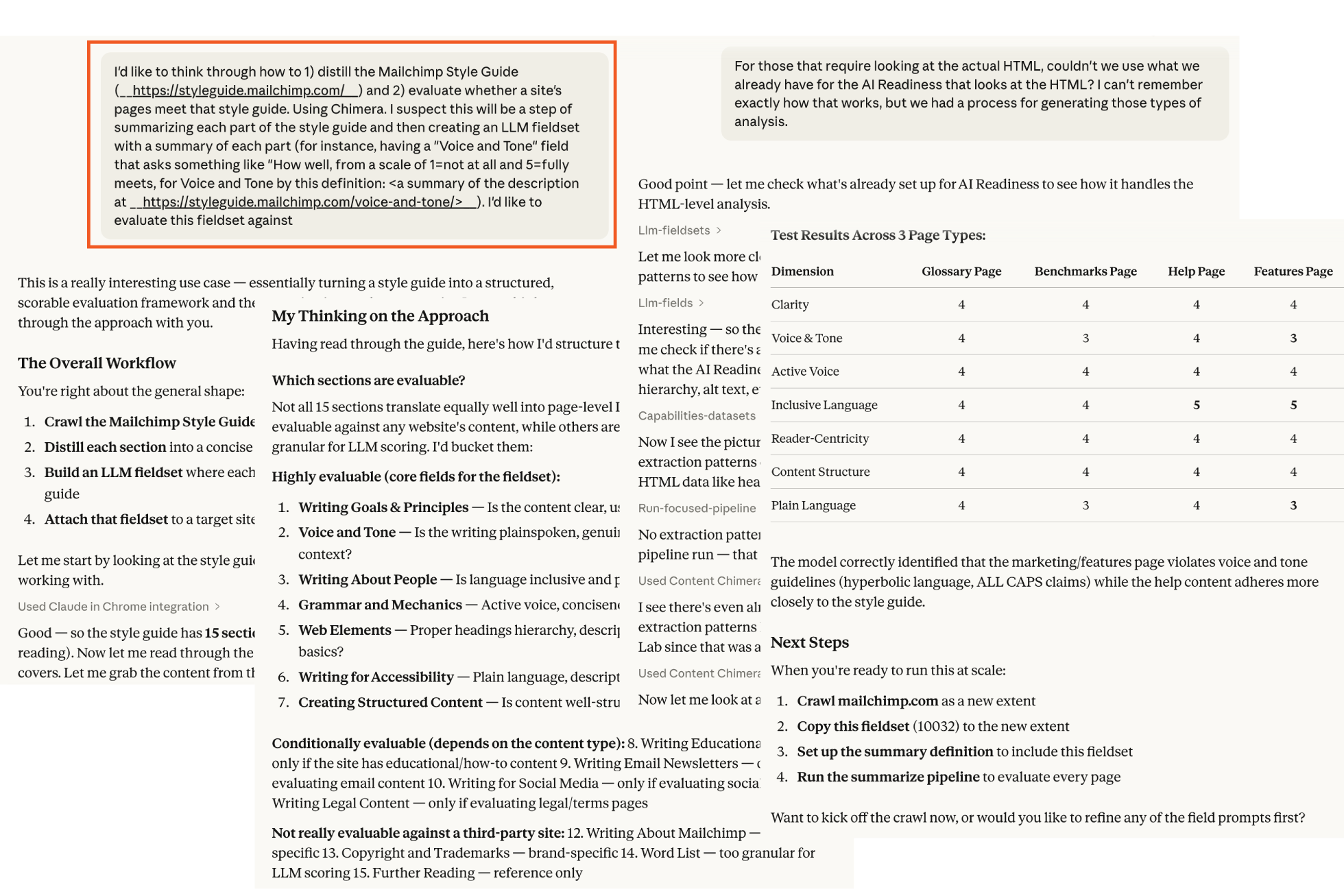
It's tricky to capture a screenshot of a useful interaction with a chatbot — they are so verbose! That said, here is an example brief snippet working with Claude with an MCP connection to Content Chimera. We can see that the style is very conversational and we have just sampled some pages (although the conversation did continue leveraging Chimera to evaluate all pages).
An analysis workflow is more set-and-forget as well as more reliable. In the following example, we see the end result (the green bar at the top shows all the steps it went through) of the workflow (which crawled, scraped, ran focused LLMs, added calculated fields, and generated the summary view) without any user intervention. Then it at the bottom the user can switch back to an exploratory mode (where the user asked about why one value was not present). This process was started by clicking a button, and the user can then forget about it until they get an email saying the analysis is complete.
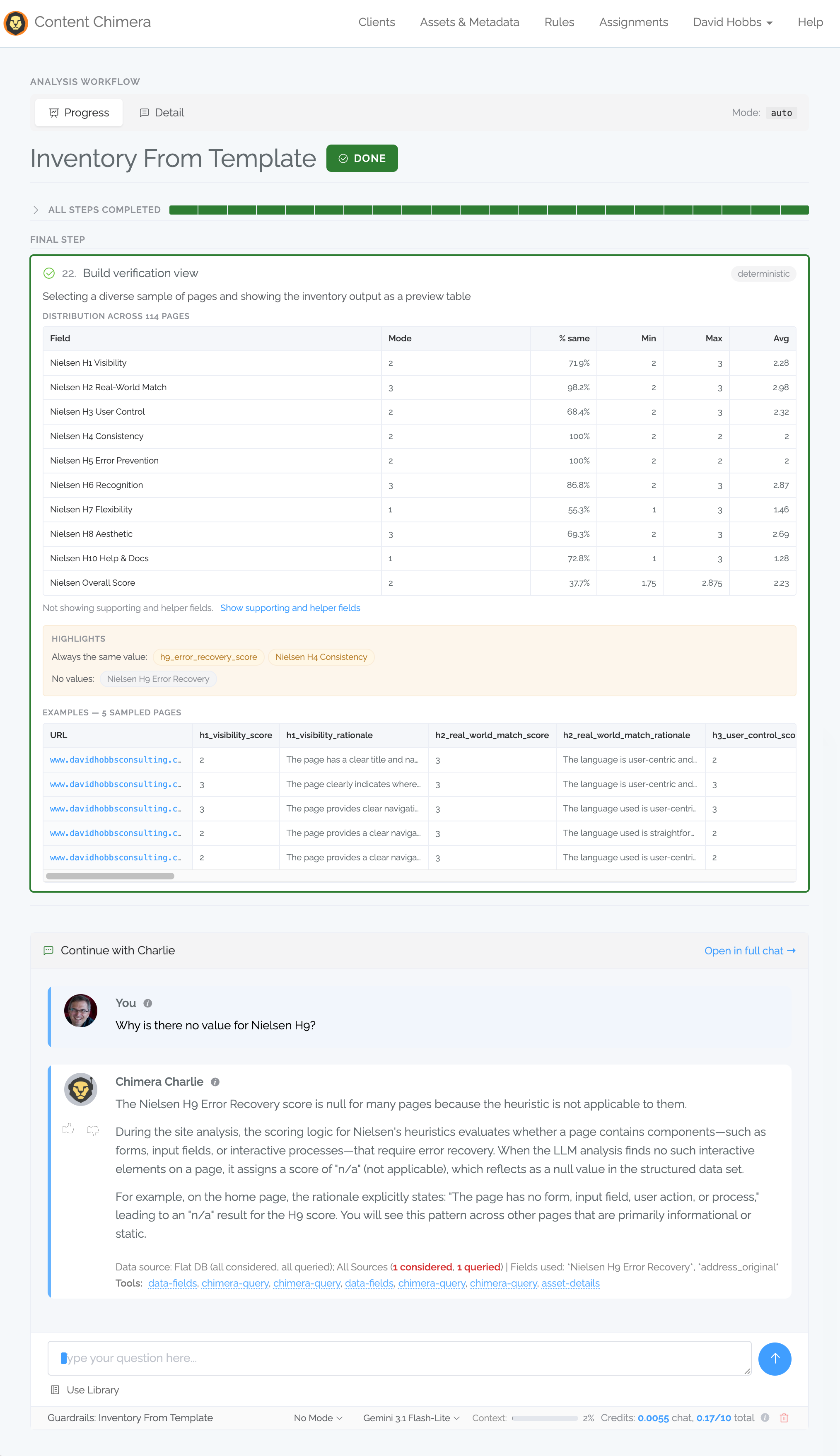
A major difference in this cases is user involvement and technical knowledge requirements:
| Exploring (Mailchimp styleguide example) | Scaling (Nielsen heuristics example) | |
|---|---|---|
| User engagement of total time | 99% | 1% |
| User knowledge requirements | High | Low |
| How started | Chat | Clicking a button |
The transition from Exploring to Scaling
Aside from trivial cases, you do need to explore first to understand the problem. For example, in the Scaling example above there was an entire exploratory chat session to understand the problem and then figure out how to streamline.
The most solid way to move from Exploring to Scaling is converting a probabilistic problem to a deterministic problem. For a review:
LLMs are, by definition, probabilistic. Except for trivial cases, this means that you don't get the same result every time: probabilities specifically drive how the algorithm works.
Traditional algorithms are deterministic: with the same inputs you get will always get the same outputs.
Fortunately, LLMs are actually quite good at writing traditional code (and for finding ways of converting problems to a deterministic one in general), so LLMs can help you convert a problem to a traditional one.
Levels of streamlining
One of the core elements of scaling is streamlining the experience of achieving whatever task we are undertaking. There are different levels. I'll use Content Chimera examples below.
| UI | Truth Grounding | Hands-on User Effort | |
|---|---|---|---|
| 1. Normal, generic chatbot usage | Chatbot | Low (except for very small data sets) | High |
| 2. Generic chatbot with MCP connection | Chatbot | Some | High |
| 3. Custom chatbot | Chatbot | Some more | High |
| 4. Custom interface, with LLMs in the backend | NOT chatbot | High | Low |
| 5. Custom interface, with no LLMs in backend | NOT chatbot | Very High | Low |
1. Normal, generic chatbot usage
This is, in many ways, the most powerful: ask a generic chatbot a question and it will do its best to answer. It might make things up, it might try to do something insecure, but it will probably push through to give you an answer.
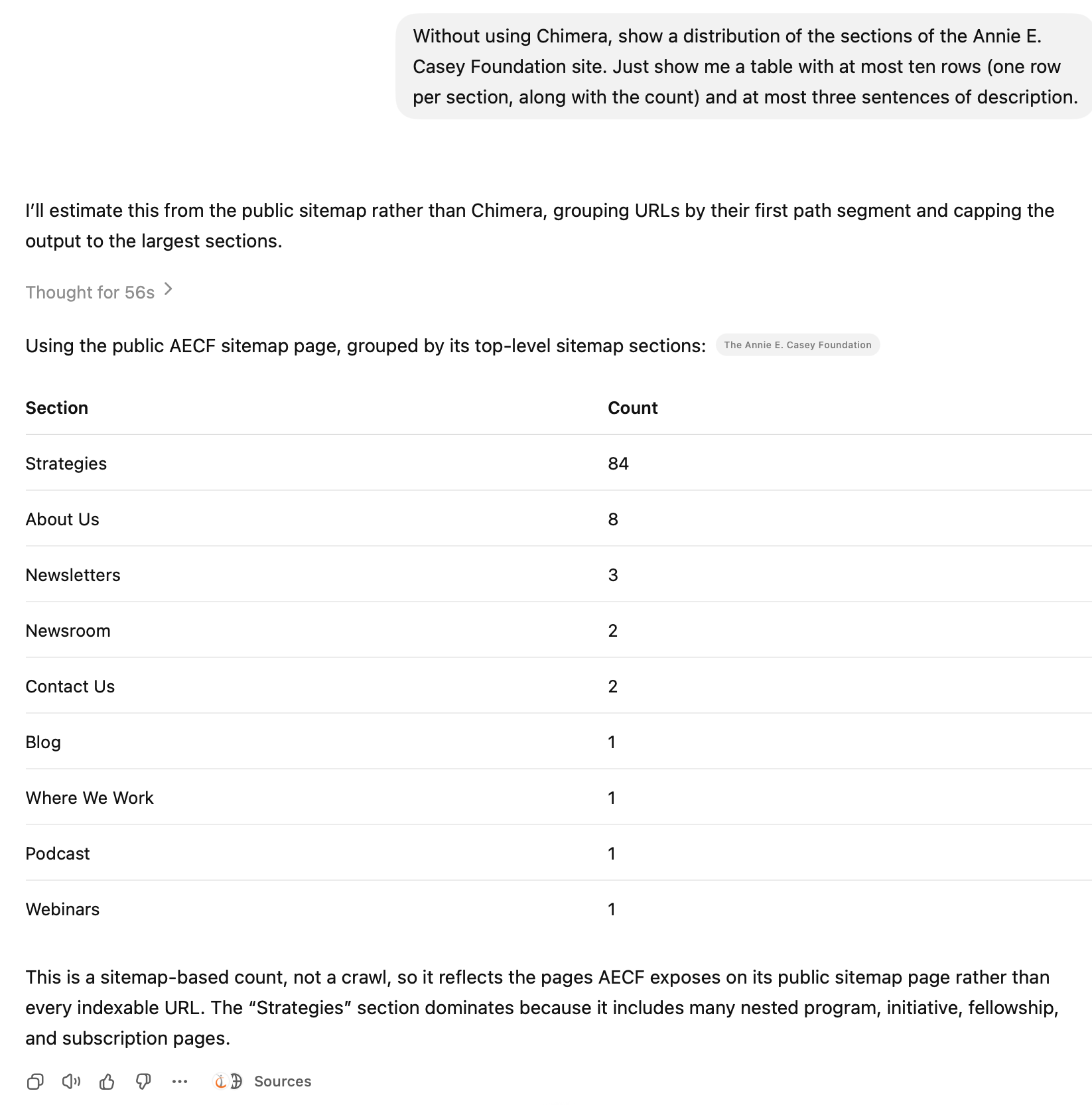
2. Generic chatbot with MCP connection
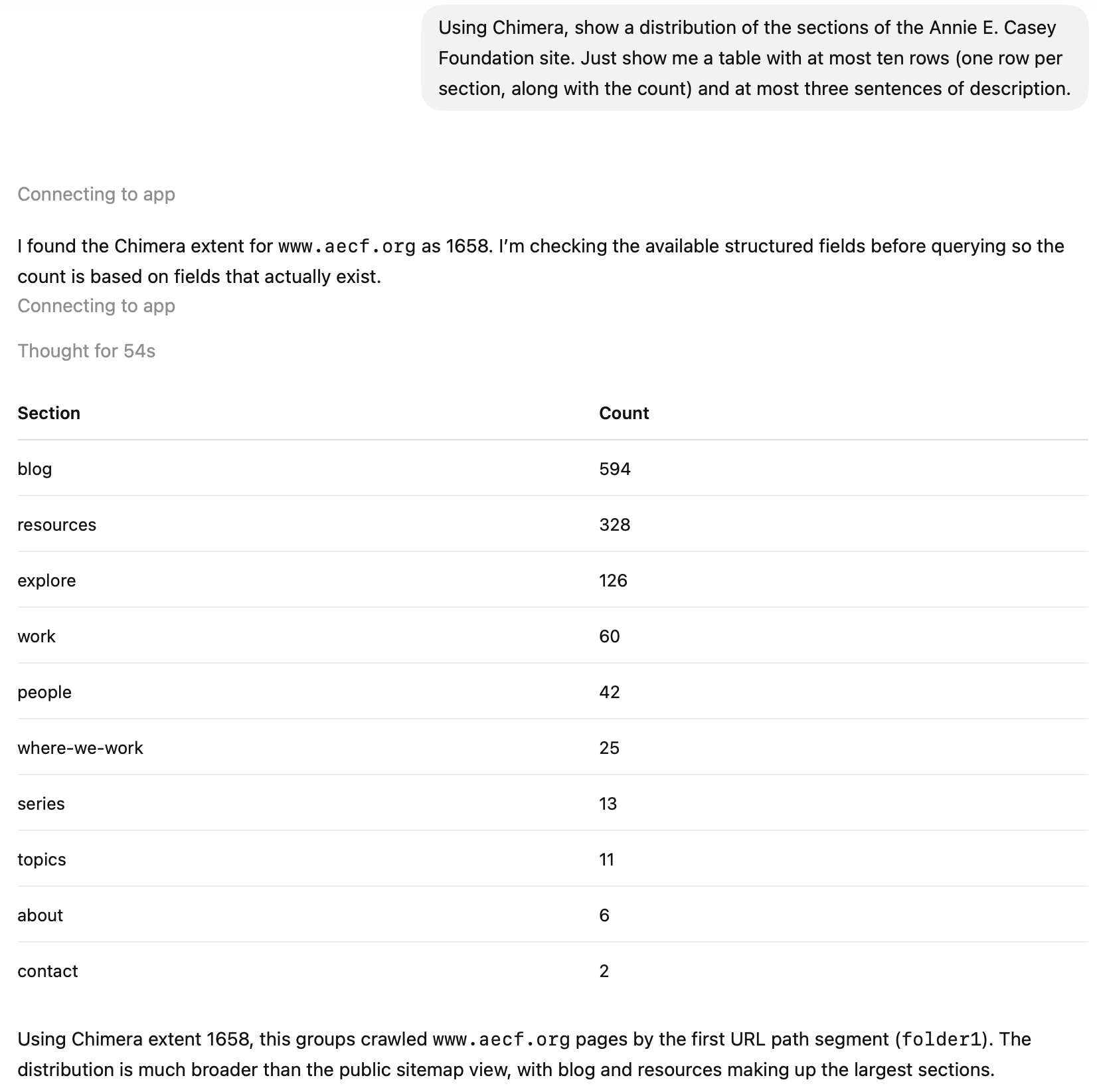
This is still exploring, but it's leveraging an MCP connection for better grounding and perhaps some broader data.
3. Custom chatbot
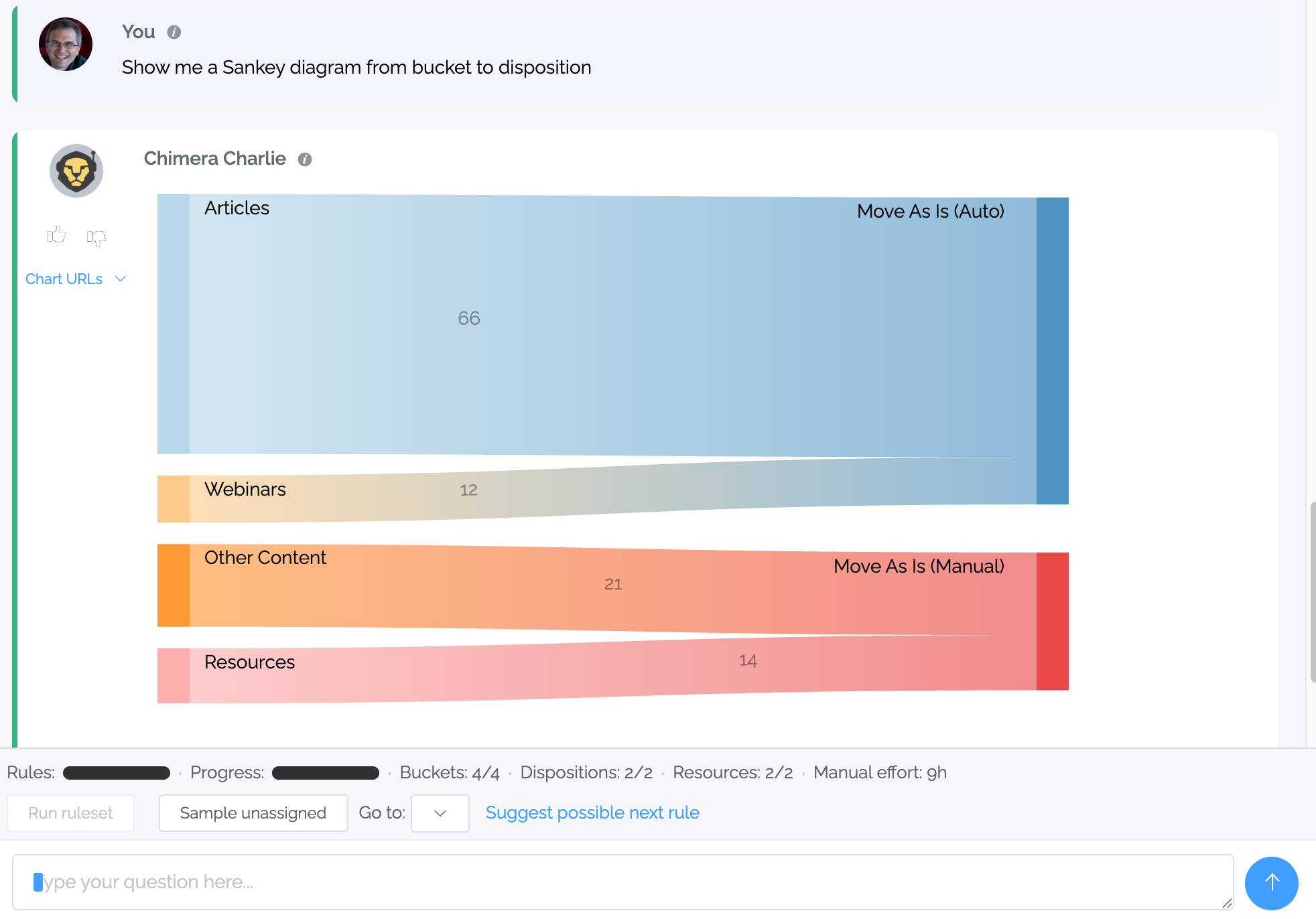
Custom chatbots are still exploratory, but they can steer the conversation in the relevant way for the task at hand. In addition, they can show specific feedback — for instance, in this example we see:
Inline, interactive chart
Specific tools for the task at hand (in this case, showing how many rules and dispositions there are, the total current manual effort, etc)
4. Custom interface, with LLMs in the backend
This is when the big switch happens. Here, we divorce LLM-as-UI from LLM-as-backend. The earlier example of the Nielsen heuristics was a custom interface with LLMs used narrowly, which narrowly uses LLMs for some tasks but only where a more traditional approach will not work. From the UI perspective, getting the evaluation for all the content is pushing a button, moving on to other tasks, and then coming back when all the tasks are complete.

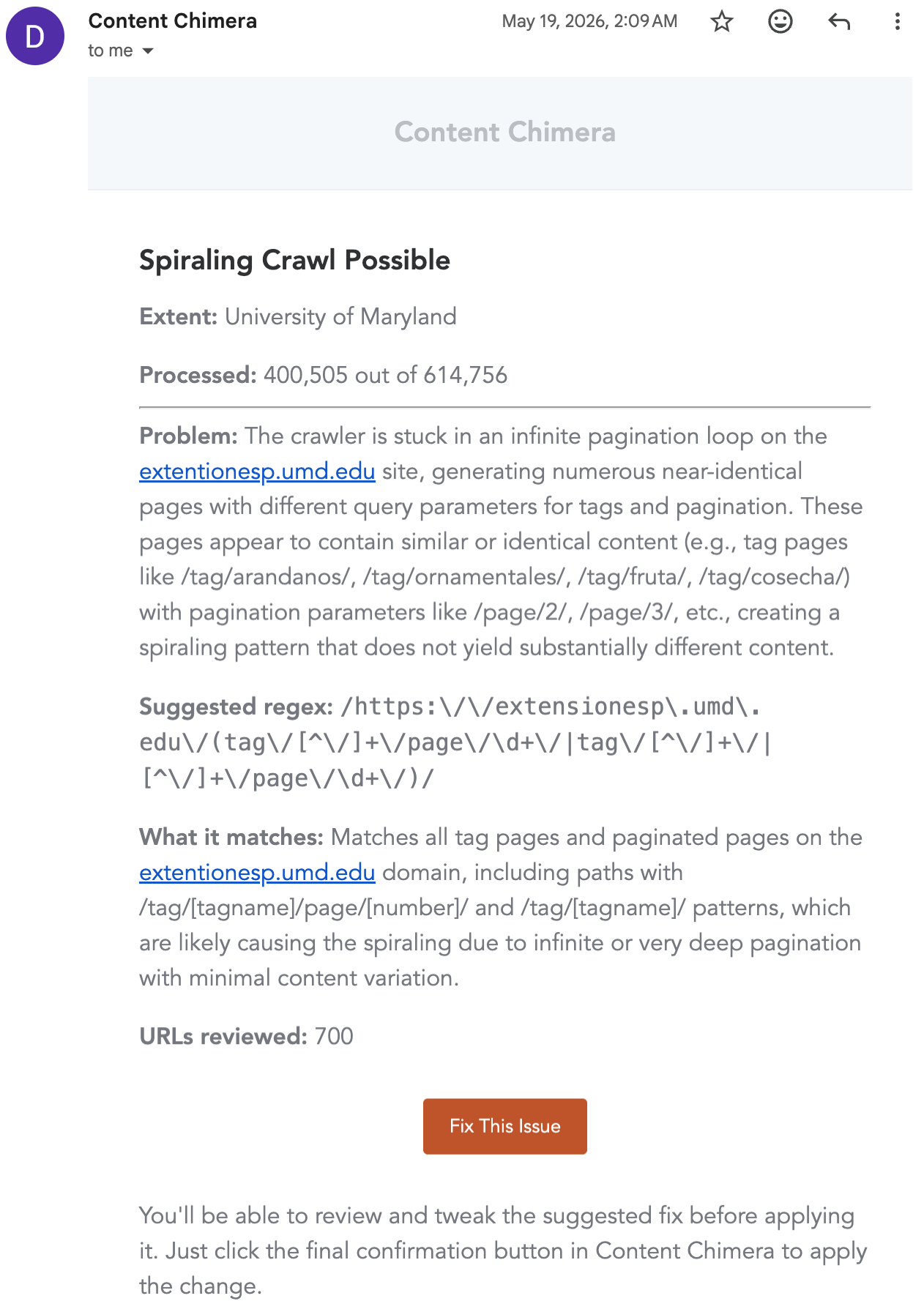
Here is another example, where an email is sent during a crawl where an LLM attempts to see if a crawl is spiraling out of control (on top of deterministic mechanisms already in place for this).
5. Custom interface, with no LLMs in the backend
We come full circle here, to workflows that do not need LLMs at all. Sometimes we do not even need LLMs to explore the problem to determine how to define a data processing pipeline. A huge advantage of this approach is that it is deterministic and very streamlined.